Start with a design.
Choose a starter that gives your offer a clear page structure and coordinated artwork.

Turn a URL into a true marketing and affiliate campaign.
Review the product details, personalise your pages and publish to your own WordPress website. Prefer to write everything yourself? Start with your own brief.
See the edit → save → draft → publish workflow ↗
Best for affiliates with their own WordPress website. Bring your offer details, affiliate link and images you are allowed to use. YellYeah gives you the starting point and the tools to make it yours.
New to affiliate marketing—or looking for your next offer? Start here ↓Watch the existing PitchPush walkthrough, then explore the finished page examples below.
Video loads only when you press play. In a downloaded HTML file, it opens on YouTube in a new tab.
Start with the product facts. Prepare your campaign pages. Check what you are saying and decide when the work is ready to publish.
This is the existing PitchPush walkthrough. It does not demonstrate every later addition, including the Affiliate Launch examples shown on this page. The examples and tool explanations below cover those separately.
Promote a product, share your expertise or give your business a home. Choose an example to see how the message, structure and next step can fit your offer.
Software & affiliate offers: introduce the product, explain who it helps, show real bonuses and give visitors a clear next step.
Opens in a new tab. Your YellYeah page stays open.
Fictional offers demonstrate possible presentation styles.
These six examples illustrate possible uses; they are not six additional included templates. The software and course pages show Affiliate Launch, while the other four use the public Design Studio tour. Build your own page with your verified content and the editor’s available layouts. Checkout, booking and email delivery use your connected services.
Keep your offer, source notes, page designs and publication review together. Explore advanced tools when they become useful.
Choose a starter that gives your offer a clear page structure and coordinated artwork.
Inspect a public product URL or add your own facts. Keep the source notes, add your affiliate link and choose who you want to help.
Edit the copy, imagery and colours. Include only bonuses you can actually deliver.
Inspect mobile and desktop layouts, claims, disclosures, bonus terms and links.
Save a private campaign draft, review exactly which pages will change, then approve publication on your WordPress website.
Your campaign stays editable. Save changes without touching live pages, then review and approve the next update. Keep an HTML export and a project backup too.
Give a product worth sharing a presentation people can explore. Start with a public page URL or your own details. Review the brief, shape the words and make the design feel like your brand.
Affiliate offers are just one starting point. Present a course, sell the idea of a digital toolkit, introduce a service or local business, or give a free resource its own page.
See the possibilities before you choose. Explore six illustrative uses, change the example wording and styling, and follow the complete URL → brief → website journey.
Interactive public showcase with fictional examples. Live URL reading, full customisation, campaign saving and publishing are in the installed editor. Page reading uses no AI credits.
URL OR YOUR WORDS → A WEBSITE
What would you build first?Bring your offer. Shape the message. Keep the files.

A starting point for your facts. Creative control over the result.
Use the page type that helps your visitor make the next decision. A page type is not a separate site licence.
Show what it does, who it suits and the trade-offs that matter. Use verifiable facts and your own experience where you have it.
Present extras you supply, explain who qualifies and make the claim process clear. Your bonus should support the offer.
Compare relevant options using accurate, dated information. Help buyers understand the differences without inventing evidence.
Your Campaign Kit includes four editable starters. The artwork below illustrates their themes. Their layouts and artwork give you a starting point; replace sample copy, facts and links with your own reviewed content. The Affiliate Launch showcase above is a separate design illustration.


Give visitors a complete presentation and a clear route to the merchant’s checkout. No autoresponder required.
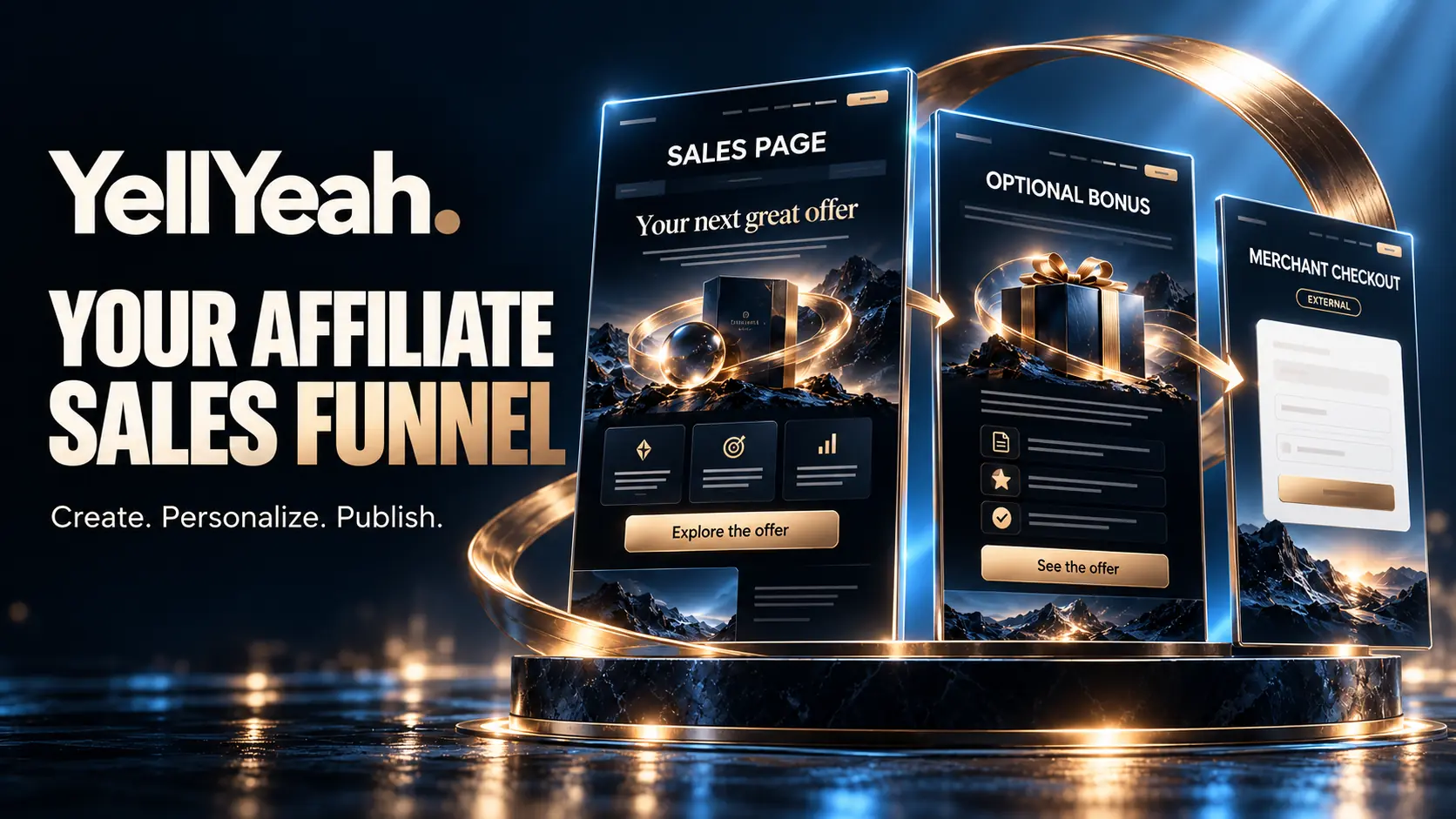
Bring your headline, product image, benefits, deliverables and FAQs into one sales presentation. Enter details or reuse an existing Design Studio offer.
Send readers straight to the merchant or include an optional bonus page. Explain the real value, eligibility and fulfilment of your own extras.
Choose a style, review the connected pages and publish in WordPress or export HTML. Save later edits privately until you approve them.
Your affiliate link routes buyers to the merchant, which handles its checkout and product delivery. YellYeah does not create merchant upsells or replace your affiliate programme’s commission reporting.
If you promise a bonus, provide a working verification and fulfilment process. The optional after-purchase page can explain how to claim it; it does not verify receipts or deliver protected downloads by itself.
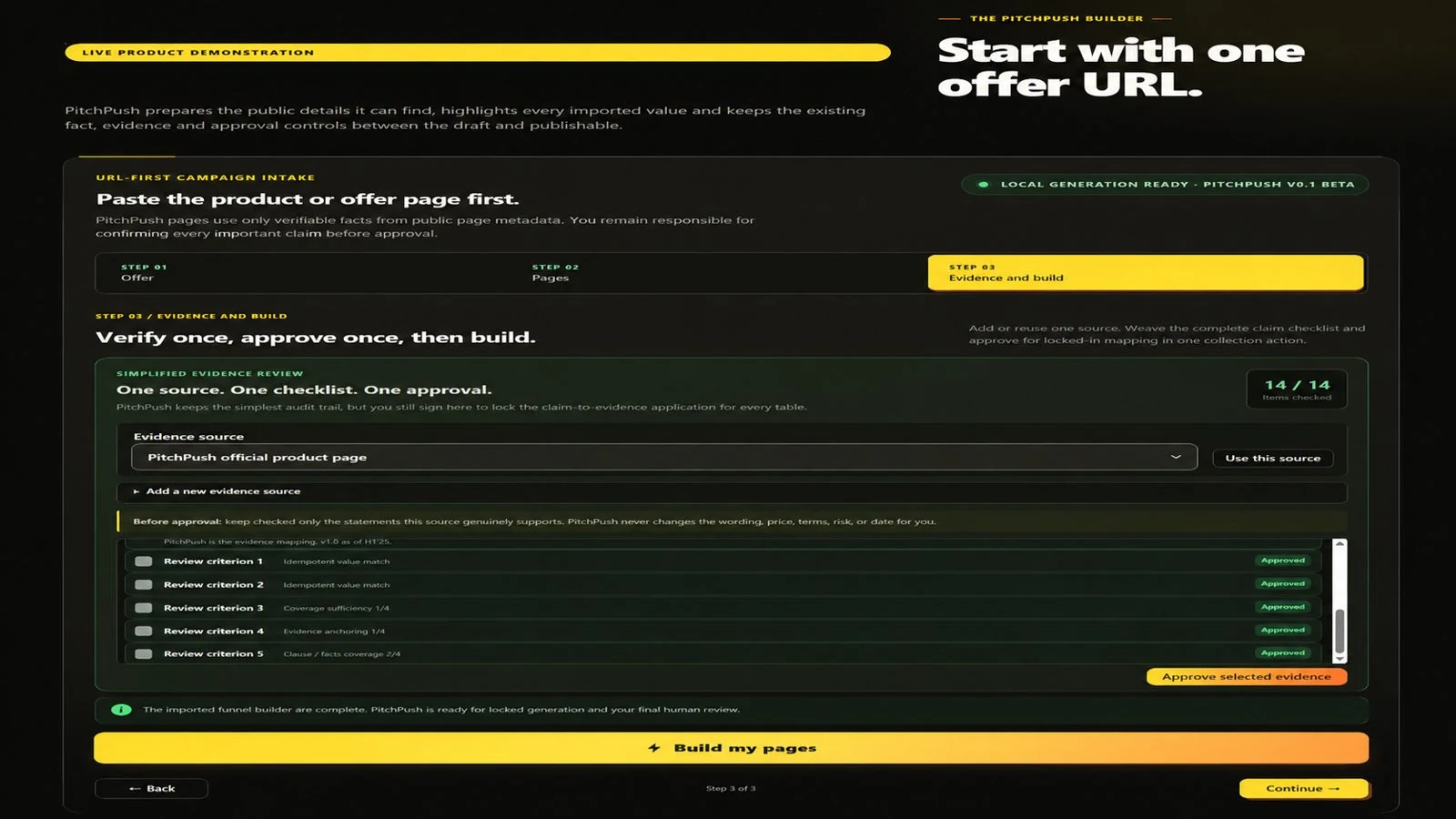
In WordPress, open Tools → YellYeah Sales Funnels. With Design Studio installed, you can inspect an accessible public product URL and review the extracted suggestions. Direct entry remains available.
Build beyond a single page. Bring together a home page, review, comparison, optional bonus, About and Contact pages.
Choose the pages your offer needs. Reuse your campaign assets, personalise the design and save a connected website project. Export linked HTML pages or use the installed WordPress workflow.
AI Image Studio included—with generations to get you started. Create campaign artwork directly inside Design Studio. Starter includes 25 standard image generations; Marketer includes 75, usable within 12 months of activation. No separate AI subscription or API key required. Additional generations are optional, with no automatic charges.
The installed Design Studio plugin can inspect accessible public product URLs for suggestions you review. Import cannot establish that every product claim is true or bypass a restricted page.
AI Image Studio included—with generations to get you started. Create campaign artwork directly inside Design Studio. Starter includes 25 standard image generations; Marketer includes 75, usable within 12 months of activation. No separate AI subscription or API key required. Additional generations are optional, with no automatic charges.
The public demonstration is a preview. Generate and save AI images in your private, activated Design Studio workspace, then review each result before using it in your campaign. Uploading your own images, editing projects and creating core pages does not use your image allowance.
Your included allowance is a one-time total, not a monthly refill. Marketer’s 75 generations are shared across its three licensed sites. Each successfully delivered image, including a requested variation, uses one generation. Downloading and reusing saved images does not use your allowance.
Both core plans include the same workflow. Choose by the number of WordPress websites you own.
Prepare your brief, Review, Bonus and Comparison pages, campaign checks and approved Publish Packs.
Editable designs, colour options, your images, desktop/mobile previews, reusable projects and WordPress drafts.
A long-form sales page, optional bonus page and your affiliate purchase link. Keep private projects and connected HTML exports.
Find an opportunity, assess a product URL and keep a private report of fit, evidence and next steps. Move the reviewed offer into a new Design Studio draft, with practical publication and readiness checks inside WordPress.
A matching six-plugin installation pack, plus configurable controls that discourage casual copying.
Four editable campaign starters, setup and protection guides, and 12 months of email support and released updates.
Keep your offer details, page copy and chosen assets together. Review changes before replacing a published version.
Export your HTML or prepare WordPress drafts with the installed tools. Check the final pages and links before sending visitors.
Use the setup guides and campaign checks to work through the practical details, from installation to your final content review.
You need an existing compatible WordPress site, administrator access and a current backup, plus your offer details, affiliate link and permitted images. Design Studio requires PHP 8.2 or newer; check the documented extensions and compatibility with your host.
Hosting, a domain, affiliate-programme acceptance and an audience are separate. You can create your core campaign pages without paid AI credits.
Install Deploy, give it the supplied Stack Pack and approve the setup. It checks and installs the six companion plugins together, ready for you to review and activate.
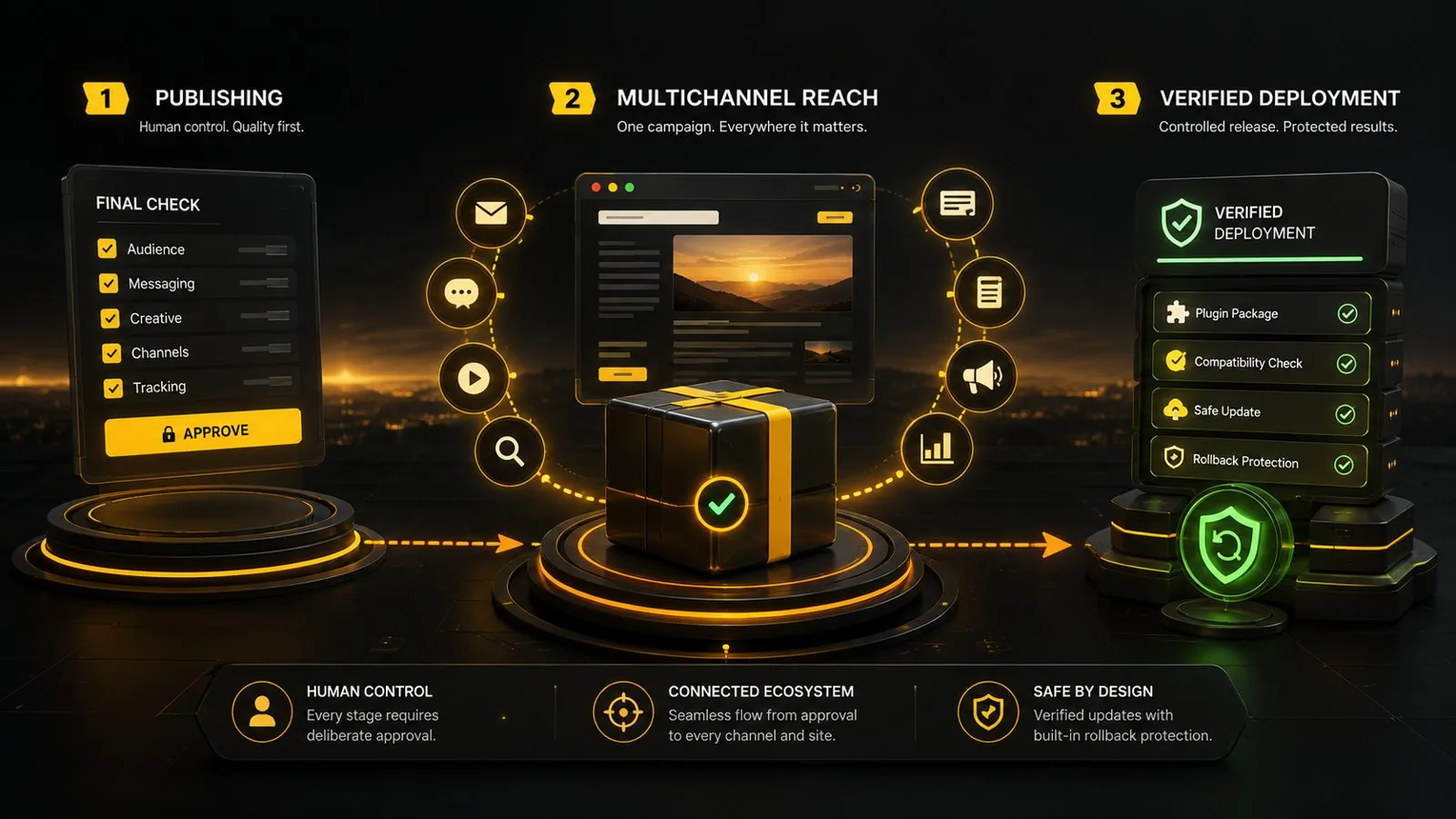
Find the Deploy installer and matching six-plugin Stack Pack under WordPress-Plugins, with step-by-step instructions under Easy-Setup in the Campaign Kit download.
Deploy verifies the supplied pack, installs new plugin folders and records a receipt. The plugins are installed inactive so an administrator can review and activate them. This build does not upgrade an existing installed stack. Keep a backup and follow the included guide.
Installation is not a completely hands-off business setup. Your licence, included AI access, service connections and final page approval still need configuration.
Strong design is the beginning. Accurate claims, working links and a clear buyer journey matter too.
 Open full screenshot ↗
Use campaign checks and WordPress readiness indicators to identify issues. Review findings by priority, keep an evidence record and make the publication decision yourself.
Readiness checks do not replace a full SEO, legal or security audit, and do not guarantee traffic or sales.
 Open full screenshot ↗
Save your complete campaign in Design Studio. Review the desktop and phone layouts, check the destinations and inspect the publication changes before approving them. Return to the same project when the offer changes.
Saving a draft leaves existing live pages unchanged. If a page was edited outside Design Studio, the update stops so you can preserve that work. After publication, check the actual visitor journey, including links and bonus instructions.
Configure copying deterrents, source attribution and WordPress crawler controls. This is practical content deterrence, not DRM, a firewall or protection for paid access. Public pages remain copyable, including through screenshots.
Native WordPress campaign pages can use the installed plugin’s settings. Some HTML export paths include browser deterrence; Sales Funnels’ standalone HTML exports and script-free Publisher packs do not include that layer. Static files served directly bypass WordPress controls.
Keep the working product private. Screenshots and public demonstrations can show the value without exposing creating, editing, saving or publishing tools.
Verify prices, bonus terms, links and comparison claims before release. YellYeah helps you prepare the presentation; you remain responsible for the facts.
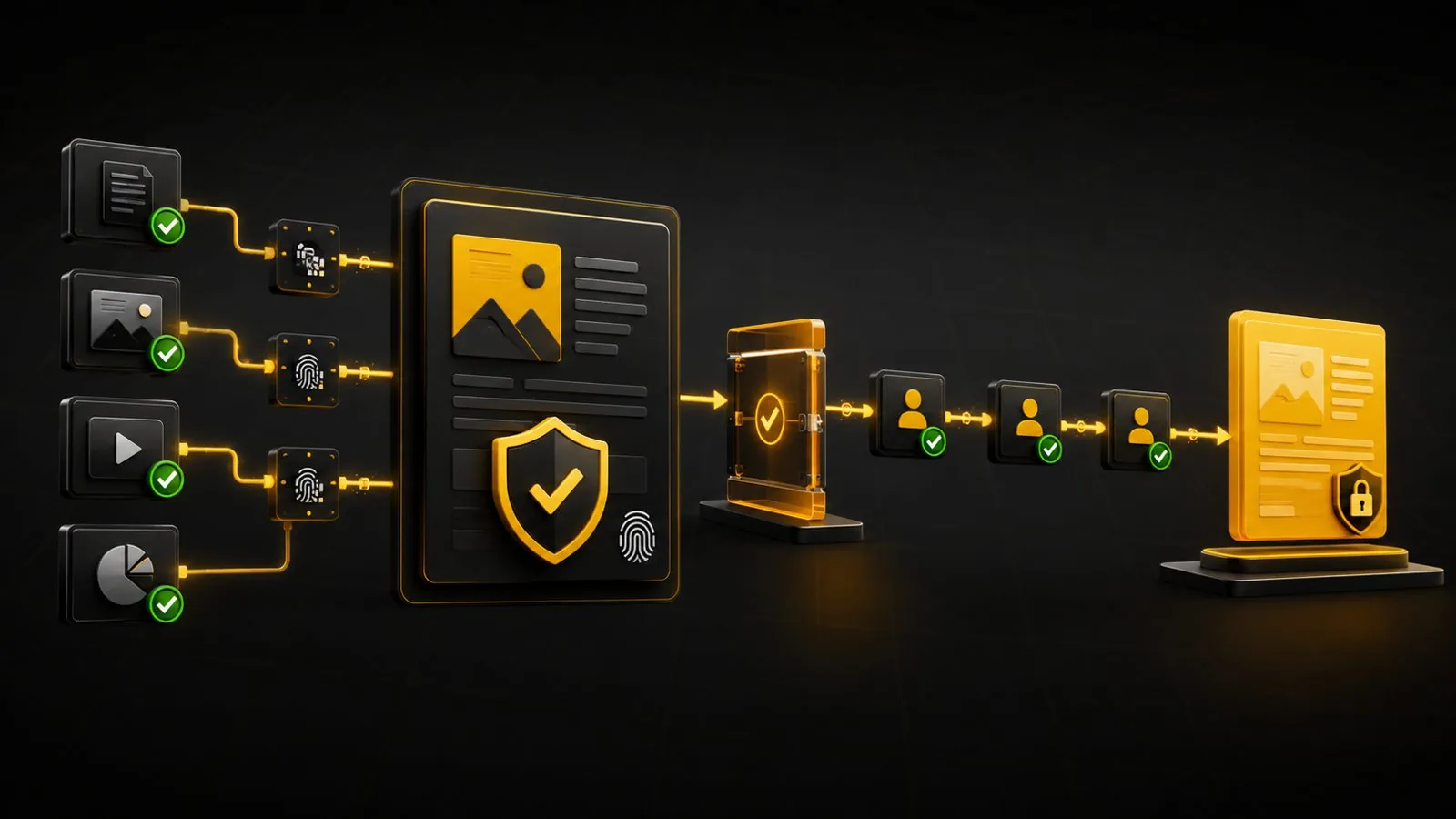
Your core kit stands on its own. These options serve different needs after your first campaign is clear.
Editable campaign packs add a sales-page project, optional bonus page, worksheet, coordinated graphic and promotional starters.
Download a pack from the private library or import it as a new draft in Sales Funnels, keeping existing campaigns intact.
Use a pack when your next promotion needs a fresh starting design. Personalise the supplied project around your actual offer, audience and bonus terms before publishing.
USD, excluding tax. Renews until cancelled. Campaign Kit required; no extra site licences. Keep downloaded packs under their licence; new access requires active membership.
Funnel Club is an optional membership. The Campaign Kit can be used on its own.
Turn an approved campaign into a connected search article, tutorial and comparison guide on your own WordPress website.
Answer the questions your sales page cannot cover in depth. Help readers understand the use case, follow a practical walkthrough and compare their options before visiting the offer.
Separate subscription. External distribution tasks remain manual-first. Reach does not supply an audience or guarantee results.
Solo: $49 introductory first year
1 owned site · Portfolio: $99/year for up to 12
Product Studio is a separate free workspace for preparing your own resources. It is not a paid Campaign Kit inclusion, and it does not replace affiliate offer research or the core campaign tools.
Product Studio is separate from this Campaign Kit. View available product guidance →
Give interested buyers more than a sales page. Turn an approved campaign into a useful search article, a practical tutorial and a comparison guide on your own website.
Some visitors need a direct explanation. Others want to see a task demonstrated or compare the alternatives. Reach helps you prepare those supporting pages around the same approved campaign.
Keep your offer facts and links together, review the drafts and choose what gets published. Use the publication records and first-party activity to decide what needs attention next.
Compare Reach plans below ↓Continue an approved campaign as connected content on your own WordPress website. Keep your product facts and destination links together as you prepare drafts, review the message and choose when to publish.
For example, a software campaign can lead into an article about the problem it solves, a tutorial showing a useful task and a guide comparing the relevant options. Each page should help the reader make a better-informed decision.
Explain a relevant problem, question or use case. Help readers understand where the product fits, with accurate examples and useful next steps.
Walk through a task your audience wants to complete. Show the process, requirements and limitations using details you have checked.
Make differences and trade-offs easier to understand. Explain which option suits which buyer and keep comparison claims current.
“How can a small shop make clearer product videos?” Explain the problem and the requirements before introducing the offer.
“Turn one product clip into a short demonstration.” Walk through a task you have checked and link to the campaign where it helps.
“Which editing workflow suits a small business?” Compare relevant options using current, verifiable information.
Example content ideas, not promises of rankings or sales. You review the facts, source material and final wording.
Add Reach when you already have an offer and want to maintain useful supporting content. Start with the Campaign Kit if your first job is choosing an offer and building the initial pages.
Reach is an optional annual extension. Solo covers one owned WordPress website; Portfolio covers up to 12. These are separate from the Campaign Kit’s site allowances.
Prepare the connected assets → review wording, claims and links → create WordPress drafts or approve a schedule → inspect publication records and first-party response data.
Reach helps you prepare and publish useful owned-site content. It does not provide an audience, buy advertising or guarantee search rankings, commissions or income. External network distribution remains manual.
You provide a suitable offer, accurate source material and a realistic plan for reaching interested people. Review the final content, maintain your links and keep published information up to date. First-party activity records are not a guarantee of affiliate-network commission attribution.
Read the full Reach guide and compare site allowances →
Find a fresh opening for your social posts. See what your recorded earnings and costs add up to. Keep both connected to the campaign you already built.
Reach 1.4 update · ProfitPulse connection in private pilot testing.
A busy campaign is not automatically a profitable one. Bring commissions, own-product income, refunds, fees and allocated costs into the same view before deciding what to promote again.
Keep records in Reach. Review them in ProfitPulse. Results & Profit keeps your financial records inside Reach. Reach 1.4 adds an optional, read-only connection to a separate private ProfitPulse dashboard. Choose a reporting period and currency to view campaign income, refunds, fees, costs and results. ProfitPulse cannot change your Reach records.
Once connected, refresh results manually or enable a refresh when the dashboard opens and every five minutes while it remains visible. The dashboard shows the last successful refresh and keeps that report visible if a new refresh fails.
Current availability: the hosted ProfitPulse connection is a private pilot for YellYeah.com. Customer access and live-connection acceptance are still pending.
The candidate supports USD, EUR, GBP, CAD and AUD separately, without currency conversion. Financial records are entered or imported by you; they are not automatically retrieved from Freemius, an affiliate network or a bank. Tracked clicks do not prove which click caused a sale.
Change the sample USD amounts to see the calculation. This example is not saved.
For affiliate offers, count your commission, not the merchant’s full order value. Own-product income is separate and excludes collected sales tax. Refunds, fees and campaign costs are subtracted.
Do not count the same money twice. Unrecorded overhead and taxes are not included. This is a campaign review tool, not accounting or tax software.
Campaign Kit creates the pages that present your offer. Reach builds the supporting content and prepares its promotion. Results & Profit brings the income and costs you record into that same Reach workflow.
Transfer a campaign through the existing export/import handoff and review it in Reach, or start with Reach’s own Campaign Builder. Campaign Kit and Reach keep their separate site allowances.
Reach 1.4 includes Social Posts, Results & Profit and the optional read-only ProfitPulse connection. You keep managing campaigns and financial records in Reach; the separate private dashboard displays a snapshot after you connect it. Final live-connection, licensing and delivery checks remain before customer release. Social posting is manual; financial records use manual entry or reviewed CSV import. There is no automatic bank, affiliate-network or Freemius synchronisation, and recorded results do not guarantee future income.
New to affiliate marketing? Looking for a fresh offer? Start with the situation you are in today.
Answer five short steps to find a direction, or start with a product URL. In your private workspace, inspect the offer, see how it fits your experience and resources, and identify the evidence still missing. Add current programme and demand research when connected, then review the report and prepare an editable Design Studio draft.
The public tour uses fictional examples. Working assessments, saved reports and campaign tools stay private in WordPress. URL inspection and the rules-based report need no AI credits; optional web research uses your existing connected API account and its usage allowance.
Assess your product URL, review the missing checks and add your approved affiliate link. Open a fresh Design Studio draft, personalise it and review it before publication.
Choose a starting design ↑New to all of this? Follow the step-by-step beginner guide →
Yes — including if you have never promoted a product or built a website. The beginner guide explains the foundations. In your installed Campaign Kit, YellYeah Start asks about your interests and resources, helps you find an offer and assesses an accessible product URL before you prepare a campaign. Your report explains the next steps when you have no website or audience yet. You still arrange your domain and hosting, obtain affiliate approval, review the content and learn how to reach buyers. Start with the free beginner guide before buying if those foundations are new to you.
You can adapt the presentation to different offer types. The software and course examples above illustrate the same page structure. Replace every sample fact, image, link and bonus term with information you are entitled to use and can verify.
Your copy length, imagery, colours and selected sections shape the finished result. Begin with one of the four included campaign starters shown on this page and personalise it around your offer. The Affiliate Launch examples illustrate a separate layout; they are not additional included starters.
The core pages and direct affiliate funnel work without an autoresponder. Your purchase link sends readers to the merchant. AI Image Studio includes 25 standard image generations with Starter or 75 with Marketer, usable within 12 months of activation at no extra charge. You can upload images and build core pages without using that allowance. Connected research is a separate optional service with its own configuration and costs.
Yes. In WordPress, open Tools → YellYeah Design Studio and choose “Fill from a URL”. Read one accessible public product or business page, review the filled brief and adjust the wording before building your website. Your purchase or affiliate link stays separate. Manual entry is always available, and missing information is not invented. Page reading uses no AI credits. For an offer assessment before building, YellYeah Start provides a separate guided report. The public Design Studio tour uses fictional examples.
One site means one licensed WordPress installation. You can create multiple campaigns on that installation. Starter covers one owned site; Marketer covers three. These plans do not include client or agency rights.
Your affiliate link sends buyers to the merchant, which handles its checkout and product delivery. Your affiliate programme handles commission reporting. You are responsible for any bonus you promise and its fulfilment.
A clearer way to create, review and publish a campaign around your offer. Commercial results depend on your offer, audience, distribution and execution. YellYeah does not promise traffic, conversions, commissions or income.
Your kit brings together PitchPush, Design Studio, Website Builder, Sales Funnels, the guided Opportunity Finder, Deploy, companion plugins and setup instructions. Both plans include the same core workflow; choose Starter for one owned WordPress website or Marketer for three.
Yes. AI Image Studio is included in Design Studio, with 25 standard image generations in Starter or 75 in Marketer. Use your one-time allowance within 12 months of activation. No separate AI subscription or API key is required. Marketer’s allowance is shared across its three licensed sites. Additional generations are optional, with no automatic charges. Your saved images, uploaded images and core page editing remain available when the allowance ends.
Use the First Affiliate Campaign Checklist to organise your offer, content, links and first promotion. Open the checklist directly. When email delivery is available, you can also request a copy and choose whether to receive follow-up tips.
Checking email delivery availability…
Start with one website or use YellYeah across your own niches. The core tools are included in both.
USD, excluding applicable taxes
1 owned WordPress website
USD, excluding applicable taxes
3 owned WordPress websites
One site means one WordPress installation—not one offer or one campaign. Your Review, Bonus, Comparison and sales pages do not each use a site licence.
AI image generation is included at no extra charge within your allowance. Your included allowance is a one-time total, not a monthly refill. Marketer’s 75 generations are shared across its three licensed sites. Each successfully delivered image, including a requested variation, uses one generation. Downloading and reusing saved images does not use your allowance. No separate AI subscription or API key required. Additional generations are optional, with no automatic charges.
Buy the core tools once. Keep using them after year one. Your installed core builder, saved projects, images and published pages remain available. Included email support and released updates last 12 months from purchase. The core purchase does not renew automatically. Optional services have their own terms.
Compare the plan details and site allowances below. Both Campaign Kits include four editable campaign starters. Choose the site allowance that fits your own websites.
For one named operator’s own sites and promotions. Client services, shared team access, agency seats, software resale, PLR and white-label software rights are excluded.
The core offer includes 12 months of email help with installation and documented features, plus released updates, from purchase. Your core builder keeps working after that period on your licensed installations. Keep editing your saved projects and using your exported pages. Future releases, ongoing support and hosted services are not lifetime inclusions. Hosting and domain renewals remain your responsibility.
Review the seller’s published refund terms and checkout total before purchasing. Hosting, domains, advertising and third-party subscriptions are separate. Your stated AI image allowance is included; additional generations are optional and require a separate purchase. No traffic, search position, commissions or income are promised.
Choose your Reach plan
Prices are in USD, excluding applicable tax. Reach is a separate annual subscription.
One owned website
$49
Introductory first year
1 active owned WordPress website
The renewal price must be confirmed before you subscribe.
View Reach Solo plan detailsYour own portfolio
$99
Per year
Up to 12 active owned WordPress websites
Renews at $99 per year until cancelled. Equivalent to $8.25 per site per year when all 12 are used. Applicable tax is additional.
View Reach Portfolio plan detailsView each plan’s details, site allowance and subscription terms before subscribing.
Reach has its own site allowance. Its 1-site or 12-site allowance does not increase the Campaign Kit’s separate 1-site or 3-site allowance.
Reach is sold separately. Existing WordPress hosting is required. Reach can also use its own campaign builder without a paid companion plugin. Review renewal and cancellation terms before subscribing.
If you do not renew Reach: after your paid term ends, new paid work pauses, including campaign creation and editing, approvals, new scheduling, Social Posts creation and adding or changing Results & Profit records. Existing published pages, saved records, reports, exports and recovery tools remain available. Licence expiry does not deactivate WordPress or delete your website or customer data.
Cancelling renewal stops the next subscription payment; it does not immediately end your current paid term. You can continue using paid Reach features until that term ends. Refunds and other early termination requests follow the separate refund terms.
After expiry, existing reports and exports remain accessible to authorised administrators. Previously approved WordPress posts that are already scheduled remain scheduled; Reach cannot schedule new work without an active paid licence. Expiry alone does not erase records; ordinary privacy retention settings and your own deletion choices still apply.
Deactivate the old site before reassigning its activation. Follow the account and licence instructions supplied with your purchase.
Released updates and email support are included during the paid Reach term. See the published support and subscription terms for the scope and renewal details.
Explore Social Posts, Results & Profit and the optional ProfitPulse connection in the Reach 1.4 walkthrough above. The ProfitPulse connection is in private pilot testing. These public examples use fictional figures and do not activate software, connect accounts or display private campaign records.
Build the pitch. Approve the message. Push it further.
Try Social Posts · Click to open
Start with the campaign.
Find your angle.
A blank post is a difficult place to start. Reach turns the campaign details you already entered into three editable drafts, each with a different opening.
These are original local templates, not an AI request. No extra API key or AI credits are needed. Changing the post or campaign facts requires a fresh review.
The interactive example uses a fictional product called Campaign Desk. It does not connect to a WordPress installation, store a real campaign or post to a network. Edits last only while this page stays open.
Campaign Desk
Sample channel: Facebook · Sample plan: day 3
Image brief & hashtags · Click to open
Creative instructions only. No image is generated.